24 Seamless Circle Patterns
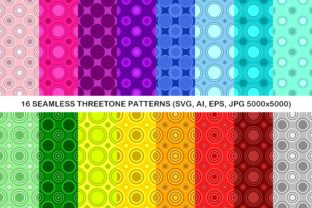
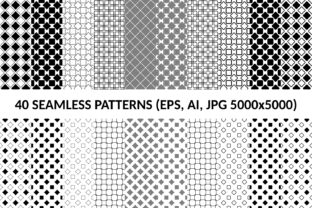
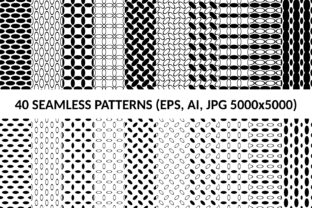
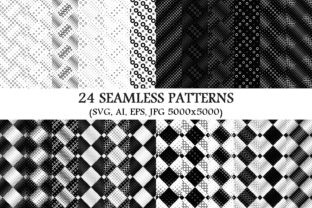
24 Seamless Circle Patterns is a curated digital asset package designed for designers, illustrators, and developers who require consistent, scalable, and repeatable circular motif backgrounds. The collection includes 24 distinct vector-based circle patterns—each engineered to tile infinitely without visible seams—alongside high-resolution raster versions. It delivers 24 SVG files, 24 AI (Adobe Illustrator) files, 24 EPS files, and 24 JPG files sized at 5000×5000 pixels.
What This Package Offers—and What It Doesn’t
The core value lies in its technical consistency: every pattern is built with mathematical precision to ensure seamless tiling across any surface, whether applied to web UI elements, print layouts, packaging mockups, or textile design prototypes. The inclusion of multiple vector formats (SVG, AI, EPS) supports broad software compatibility—especially important for users working across Adobe Creative Suite, Figma (via SVG import), or web development environments. The 5000×5000 JPG files provide a high-fidelity raster fallback suitable for presentations, client previews, or platforms that don’t support vector backgrounds.
It is not a generative tool, nor does it include editable parameters (e.g., adjustable spacing, color sliders, or dynamic scaling controls). Each pattern is a fixed design—monochrome in execution, meaning all variations use a single tone against a transparent or white background. There are no pre-built color variants, gradients, or layered effects. Users seeking polychrome, textured, or animated circle patterns will need to look elsewhere—or adapt these manually.
Why Designers Consider This Collection
Designers often evaluate pattern libraries based on three practical needs: reliability, efficiency, and fidelity. 24 Seamless Circle Patterns addresses each directly. Reliability comes from the guarantee of true seamlessness—critical when scaling patterns across large banners, wall graphics, or responsive web backgrounds. Efficiency stems from format diversity: needing both vector scalability and pixel-perfect raster output means less time converting or resampling assets. Fidelity is ensured by the 5000×5000 resolution, which accommodates high-DPI displays and print at up to A1 size without interpolation artifacts.
Monochrome execution also serves specific use cases well: branding systems built around minimal palettes, accessibility-focused interfaces where contrast must remain predictable, or projects requiring easy recoloring via CSS filters, Illustrator’s Recolor Artwork, or global swatch replacement.
Key Benefits and Real-World Tradeoffs
Benefits:
- Format flexibility: SVG files work natively in modern browsers and support CSS manipulation; AI and EPS files retain full editability in professional vector applications.
- Predictable performance: Vector patterns scale losslessly and impose minimal file-size overhead—especially relevant for web performance budgets.
- Consistent baseline: All 24 patterns share the same construction logic (circle radius, spacing, alignment), making visual comparison and systematic application more straightforward than mixing disparate sources.
Tradeoffs and considerations:
- Monochrome limitation: While advantageous for control and accessibility, it requires manual effort to introduce additional colors—either through layering, global swatches, or code-based tinting. No built-in color variants reduce out-of-the-box versatility.
- No documentation or usage guidance: The package does not include style guides, suggested pairings, or implementation notes—users must assess appropriateness for context independently.
- Fixed density and rhythm: Each pattern has predetermined spacing and scale. Adjusting tile density or circle weight would require editing vectors—a task requiring intermediate to advanced vector skills.
When This Package Is a Strong Fit
This collection suits professionals who prioritize technical precision over stylistic variety. It is especially valuable for teams maintaining design systems where consistency, scalability, and cross-platform compatibility are non-negotiable. Examples include:
- UI/UX designers building component libraries with subtle background textures for cards or modals;
- Branding agencies developing identity guidelines for clients with strict monochrome or two-tone palettes;
- Print production specialists preparing large-format signage or stationery where vector scalability prevents pixelation;
- Front-end developers implementing performant, responsive CSS backgrounds using inline SVG or optimized image sprites.
In these scenarios, having 24 rigorously tested, ready-to-deploy patterns reduces QA overhead and eliminates guesswork about tiling behavior—making integration faster and more reliable than sourcing or building patterns individually.
When Alternatives May Be More Appropriate
Consider other options if your project demands greater stylistic range or adaptive functionality. For instance:
- Projects requiring color variation: A pattern set with built-in multi-color variants—or one bundled with a color palette guide—may save time over manually recoloring 24 individual files.
- Dynamic or data-driven contexts: If you’re generating patterns programmatically (e.g., via JavaScript or Processing), a parametric library or script-based generator offers more flexibility than static assets.
- Learning or exploratory use: Beginners may benefit more from a smaller, well-documented set with tutorials on tiling mechanics, alignment principles, or export best practices—rather than a large, unguided collection.
- Highly specialized aesthetics: If your work leans toward hand-drawn circles, irregular organic arrangements, or mixed-media textures, this strictly geometric, digitally precise set may feel too rigid.
Making an Informed Decision
Evaluating 24 Seamless Circle Patterns hinges on matching its strengths to your workflow constraints—not just aesthetic preference. Ask yourself:
- Do I need seamless tiling across variable dimensions? If yes, verify that sample files tile correctly in your target environment (e.g., test SVG in a browser, AI file in Illustrator).
- Which formats do I actually use? If you work exclusively in Figma and don’t own Adobe software, SVG and JPG files carry most of the value—AI and EPS become secondary.
- How much time am I willing to invest in customization? If rapid deployment matters more than fine-grained control, confirm the default sizing and spacing align with your typical layout grids.
- Is monochrome sufficient—or a limitation? Review your current or upcoming projects: if most require only one accent color plus neutral space, the constraint becomes an advantage. If not, budget time for post-import adjustments.
Finally, compare file structure and naming conventions. A well-organized package—with clear, consistent filenames (e.g., circle-grid-tight.svg, circle-halo-loose.jpg)—reduces friction during selection and integration. Ambiguous or inconsistent naming can offset the time savings the collection otherwise provides.
Final Perspective
24 Seamless Circle Patterns is a purpose-built tool—not a comprehensive design solution. Its utility emerges clearly when matched to specific technical requirements: seamless scalability, monochrome discipline, and multi-format readiness. It excels in production environments where predictability and compatibility outweigh novelty or breadth. For evaluators weighing options, the strongest indicator isn’t how many patterns it contains, but whether those 24 patterns solve a recurring, measurable problem in your current or planned work. If they do, the package delivers focused, dependable value. If not, exploring alternatives aligned more closely with your functional or aesthetic priorities remains the more efficient path forward.