16 Pink Square Patterns for Seamless Design
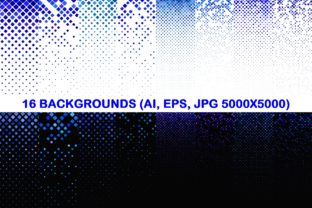
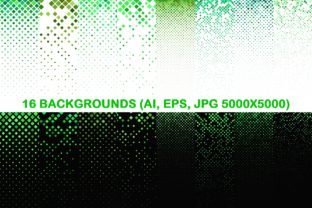
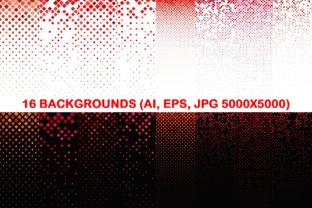
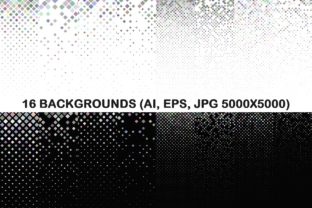
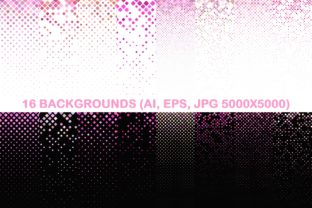
Whether you're crafting a brand identity, designing social media templates, or building a presentation deck, background patterns matter. The 16 Pink Square Patterns package delivers a cohesive, versatile set of seamless designs—each built with precision for real-world use. It includes 16 vector AI files, 16 vector EPS files, and 16 high-resolution JPGs (5000×5000 pixels), all featuring clean pink square motifs arranged both in grid and diagonal layouts.
What Makes These Patterns Stand Out?
These aren’t generic clipart-style repeats. Each pattern is mathematically aligned to tile flawlessly from left to right and top to bottom—no visible seams, no awkward breaks at edges. The pink tones range from soft blush to vibrant magenta, offering flexibility across branding palettes. Because they’re delivered in vector format (AI and EPS), you can scale them infinitely without losing clarity—ideal for everything from business cards to billboard mockups. The JPG versions provide immediate usability in tools that don’t support vectors, like Canva or PowerPoint, while retaining crisp detail at print-ready resolution.
For Designers & Creatives Who Value Precision
If you regularly build assets for clients—or maintain a personal design system—you’ll appreciate how these patterns eliminate guesswork. Need a subtle texture behind product photography? A diagonal pink square pattern adds rhythm without competing with your subject. Want consistency across a suite of marketing materials? Using the same vector pattern across web banners, email headers, and printed brochures reinforces visual cohesion. Since each file is editable in Illustrator, you can tweak spacing, recolor on the fly, or layer with transparency effects—all without degrading quality.
For Educators & Presenters Building Engaging Materials
Teachers, trainers, and workshop facilitators often rely on slides that feel warm and approachable—not sterile or overly formal. A soft pink grid pattern as a slide background adds gentle structure while keeping focus on content. It’s especially effective in early childhood education decks, wellness workshops, or inclusive learning modules where tone and emotional resonance matter. Because the JPGs are large (5000×5000), they hold up when cropped or zoomed in presentations—even on ultra-high-res projectors. No need to wrestle with tiling settings in Keynote or Google Slides: just drag, drop, and go.
For Small Business Owners & Marketers Launching Campaigns
Time is scarce, and consistency is non-negotiable. If you’re launching a spring collection, rebranding your boutique, or rolling out a new service line, having 16 ready-to-use pink square patterns means you’re not starting from zero. Use one as a background for Instagram story templates; another as a subtle overlay on product packaging mockups; a third as a border element in a newsletter header. The variety—grid vs. diagonal, light vs. saturated—lets you match tone: playful for a lifestyle brand, refined for a wellness studio, bold for an art supply shop. And because all formats are included, you won’t hit a wall when switching between platforms or vendors.
For Freelancers & Bloggers Balancing Speed and Polish
You know the drill: a client needs a branded social post by noon, but their brand guidelines only specify “pink” and “modern.” With 16 Pink Square Patterns, you’ve got options that feel intentional—not placeholder-ish. Drop a diagonal pattern into a blog sidebar graphic for visual interest. Apply a light grid as a background layer beneath text in a Pinterest pin. Even better: because the vectors are layered cleanly (no embedded raster elements), you can isolate shapes, adjust stroke weight, or convert to outlines in seconds. That’s fewer revisions, faster turnaround, and work that holds up under scrutiny.
For Hobbyists & DIY Enthusiasts Exploring Design
You don’t need a design degree to make something beautiful—and that’s where this package shines. If you’re making custom stationery, printing fabric swatches, or designing stickers for your Etsy shop, these patterns offer professional-grade foundations without complexity. Open any JPG in free tools like Photopea or GIMP, add your logo, and export instantly. Prefer hands-on learning? Import the AI file into Illustrator and experiment: change the pink to coral, rotate the diagonal version by 15 degrees, or duplicate rows to create depth. There’s room to grow—and no pressure to get it perfect on the first try.
How to Choose What Fits Your Needs
Not every pattern serves every purpose—and that’s intentional. Ask yourself:
- Are you prioritizing flexibility? Go vector (AI/EPS). You’ll retain full editability across projects and years.
- Need fast implementation? The JPGs load instantly in most apps and require no special software.
- Working across print and digital? Vectors scale infinitely; JPGs give you predictable color rendering on screens and consistent output on printers calibrated for sRGB.
- Building a long-term brand library? Save the AI files with clear naming (e.g., “PinkSquare_Diagonal_MediumBlush.ai”) so you can find and reuse them effortlessly later.
Also consider how much control you want over color. While the pink tones are thoughtfully balanced, the vector files let you shift hues precisely using global swatches—critical if your brand uses a specific Pantone or HEX value. The JPGs preserve the original look, which is ideal when you want reliability over customization.
Real-World Uses Across Contexts
A freelance illustrator used the diagonal patterns as subtle textures beneath hand-drawn icons in a client’s pitch deck—adding dimension without distraction. A yoga studio owner applied a light grid pattern to her class schedule PDFs, giving printed handouts a calm, grounded feel. A university communications team built a series of workshop flyers using different patterns from the set, creating visual variety while maintaining unified branding. And a teen entrepreneur selling handmade candles tested three patterns on her Shopify homepage banner before settling on one that best complemented her minimalist product photos.
None of these users needed advanced technical knowledge to begin. They started where they were—with a tool they already used, a deadline they had to meet, or a feeling they wanted to convey. The 16 Pink Square Patterns package met them there.
It’s not about having more options—it’s about having the right ones, ready when you need them.